
Download AcademyOcean – AI‑Powered Course Creation Tool for Secure, Fast Online Training
Overview
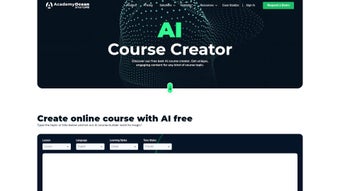
AcademyOcean positions itself as a next‑generation learning management system (LMS) that blends a classic, web‑based course platform with a powerful artificial‑intelligence engine. The AI Course Creator sits at the heart of the service, allowing users to type a simple topic or learning objective and instantly receive a complete course outline, suggested slide content, quiz questions, and multimedia recommendations. This automation dramatically reduces the time educators, corporate trainers, and subject‑matter experts spend on curriculum design, freeing them to focus on personalization, interaction, and assessment.
The platform is built for versatility. Whether you are a software company building onboarding pathways for new hires, a healthcare provider delivering compliance training, or a retailer rolling out product‑knowledge modules for store staff, AcademyOcean’s template‑driven approach adapts to industry‑specific language and regulatory requirements. The solution also supports multilingual content, enabling global teams to consume training in their native languages without duplicating effort.
Beyond course creation, AcademyOcean bundles a customizable LMS, a drag‑and‑drop quiz maker, a certificate builder, and a knowledge‑base repository—all managed through a clean, intuitive interface. The subscription model includes three free AI‑generated courses; after that, users can unlock unlimited creations simply by sharing a valid email address. Security is handled at the SaaS level with SSL encryption, regular backups, and compliance with GDPR and CCPA standards, making it a safe choice for enterprises that handle sensitive employee data.
In short, AcademyOcean delivers a secure, AI‑enhanced environment for anyone looking to streamline the entire lifecycle of online education—from outline to certification—while maintaining full control over branding, interactivity, and analytics. Its cloud‑first architecture, combined with AI‑driven efficiency, positions it as a compelling option for organizations that need to scale learning quickly without sacrificing quality or compliance.
Key Features That Accelerate Course Creation
- AI Course Creator: Input a single line of text and receive a fully structured outline, lesson scripts, suggested media, and assessment items.
- Customizable LMS: Drag‑and‑drop course builder, responsive design, and white‑label branding options.
- Quiz & Assessment Engine: Multiple question types, automatic grading, and detailed analytics for learner performance.
- Certificate Builder: Branded certificates with dynamic fields (name, completion date, score) that can be automatically issued.
- Knowledge Management System: Central repository for SOPs, FAQs, and reference documents linked directly to courses.
- Multilingual Support: Translate AI‑generated content into over 30 languages, with the option to edit manually.
- Integrations & APIs: Connect with Zapier, Slack, Microsoft Teams, and major HRIS platforms for seamless user provisioning.
- Analytics Dashboard: Real‑time tracking of enrolments, completion rates, and skill acquisition metrics.
- Secure Cloud Hosting: GDPR‑compliant data centers, daily backups, and role‑based access controls.
The AI engine behind AcademyOcean is trained on a massive corpus of educational material, allowing it to suggest not only logical sequencing but also pedagogical best practices such as spaced repetition and micro‑learning bursts. For organizations that need compliance documentation, the platform can automatically insert mandatory policy references and audit trails, reducing the legal overhead of course creation.
The quiz maker stands out because it can generate question banks based on the AI‑produced outline, offering both multiple‑choice and scenario‑based questions.
Instructors can tag each question with difficulty levels, competency frameworks, or industry standards, then use adaptive pathways to push learners toward remedial content if needed. This level of granularity helps corporate trainers demonstrate measurable ROI to leadership teams.
Finally, the knowledge‑base feature works as a living library.
Content creators can attach PDFs, videos, and external links directly to specific modules, creating a single source of truth that evolves alongside the course. The system’s search function indexes both course material and knowledge entries, ensuring learners find the right answer quickly—an essential factor for customer education portals and internal help desks. Together, these features form a cohesive ecosystem that reduces reliance on disparate tools and streamlines the entire learning workflow.
Installation, Setup, and Cross‑Platform Compatibility
Step‑by‑Step Installation
Because AcademyOcean is a fully cloud‑hosted solution, there is no traditional software download or local installation required. Getting started involves three simple steps:
- Create an Account: Visit the AcademyOcean website, click “Sign Up,” and enter your business email. A verification link will be sent to confirm your identity.
- Choose a Plan: Select the free tier (three AI‑generated courses) or upgrade to a paid subscription for unlimited access. Payment is processed securely via Stripe or PayPal.
- Launch the Dashboard: After login, you are taken to the main dashboard where the AI Course Creator lives. From here you can start a new project, upload branding assets, and configure user permissions.
The entire onboarding process takes less than ten minutes, and the platform offers guided tours and video tutorials for each major feature. For larger organizations, AcademyOcean provides a dedicated onboarding specialist who can assist with bulk user imports, single sign‑on (SSO) configuration, and custom domain mapping. The intuitive UI is designed so that even users with limited technical experience can launch their first course within the first hour of signing up.
Operating System & Browser Compatibility
Since the application runs in a web browser, it is compatible with all major operating systems: Windows 10/11, macOS Monterey and later, Linux distributions, as well as mobile platforms such as Android 9+ and iOS 13+. The recommended browsers are the latest versions of Chrome, Edge, Firefox, or Safari. All features—including the AI generator, drag‑and‑drop editor, and analytics dashboard—function flawlessly across desktop and tablet devices, making it a truly cross‑platform learning solution.
For teams that require offline access, AcademyOcean offers a progressive web app (PWA) that caches course content for viewing without an internet connection. However, AI generation and data synchronization still require an online connection, which is typical for cloud‑based AI services. The PWA can be “installed” on Windows, macOS, Android, or iOS, giving users the feel of a native app while still benefitting from automatic updates and centralised security management.
Pros, Cons, and Frequently Asked Questions
Pros & Cons
- Pros:
- AI‑driven course creation saves hours of manual design work.
- All‑in‑one LMS eliminates the need for separate authoring and delivery tools.
- Multilingual support expands reach to global audiences.
- Robust analytics help measure learning impact and ROI.
- Secure, GDPR‑compliant cloud hosting.
- Progressive web app enables offline viewing on any device.
- Extensive integrations with popular business tools.
- Cons:
- Free tier limited to three AI‑generated courses.
- Customization of AI output may require iterative tweaking for highly specialized content.
- No native desktop client; reliance on web browser.
- Advanced integrations (e.g., custom APIs) are only available on higher‑priced plans.
- Some users report a learning curve when configuring adaptive learning pathways.
Frequently Asked Questions
How does the AI Course Creator generate content?
The AI model analyzes the input topic, references a curated knowledge base of instructional design patterns, and then produces a hierarchical outline, lesson scripts, suggested media, and assessment items. Users can edit any part of the output before publishing.
Can I import existing courses into AcademyOcean?
Yes. AcademyOcean supports SCORM, xAPI, and simple CSV imports, allowing you to migrate legacy content and then enhance it with AI‑generated quizzes or certificates.
Is there a mobile app for learners?
Learners can access courses through any mobile browser, and a progressive web app (PWA) is available for offline viewing on Android and iOS devices.
What security measures protect my data?
All data is encrypted in transit with TLS 1.3, stored on ISO‑27001‑certified servers, and backed up daily. Role‑based access controls and SSO (SAML, OAuth) further safeguard user accounts.
How is pricing structured for teams?
AcademyOcean offers a per‑user subscription model with discounts for annual commitments. The free tier includes three AI‑generated courses; paid plans unlock unlimited AI usage, advanced integrations, and priority support.
Can I customize the AI‑generated course design?
Absolutely. After the AI produces a draft, you can rearrange modules, replace suggested media, adjust quiz difficulty, and add branding elements. The platform saves every revision, so you can experiment without losing previous versions.
Conclusion & Call to Action
AcademyOcean stands out in a crowded LMS market by marrying the convenience of AI‑assisted authoring with a fully featured delivery platform. For organizations that need to scale training quickly—whether for employee onboarding, partner certification, or customer education—the tool provides a clear productivity boost without sacrificing security or compliance. While the free tier is modest, the value delivered by the AI generator alone justifies an upgrade for most medium‑to‑large teams. The cross‑platform accessibility, robust analytics, and extensive integrations make it a future‑proof investment for companies committed to continuous learning.
Ready to accelerate your course development workflow? Sign up for a free account today and experience how AI can transform your learning initiatives. For businesses seeking unlimited AI courses, premium support, and custom integration options, explore the paid plans and request a personalized demo directly from the AcademyOcean sales team. Empower your trainers, delight your learners, and stay ahead of the training curve—download AcademyOcean now and start building smarter, faster, and more engaging courses.



.png)



